STR TV & Roku: The Complete Setup Guide
Let's be real: most STR operators run Roku TV. It's the dominant platform in the vacation rental world, and for good reason — Roku TVs are reliable, affordable, and widely available. So when operators ask us "Does STR TV work with Roku?" — the answer is an enthusiastic yes.
We have over 250 installations on Roku TV and counting. It's a tried, tested, and beloved setup. Here's exactly how it works.
What You Need
To run STR TV on your Roku TV, you'll need one small piece of hardware: the STR TV Streaming Device — just $75. It ships with everything you need in the box: power cable, HDMI extender, and remote, plus fast streaming, Ultra HD picture, 8GB of storage, and 2GB of RAM. It's the same dedicated hardware every STR TV installation runs on, and it's the go-to setup for Roku TVs and any other non-native platform.
Installation: Step by Step
- Plug the STR TV Streaming Device into an eARC or CEC-enabled HDMI port — this is usually HDMI 1 on your Roku TV.
- Power it on — STR TV comes ready to go on the device. Just pair it with your property using our setup wizard.
- Set your Roku TV to default to the HDMI input you plugged the STR TV Streaming Device into, so guests always land on STR TV at power-on.
- Enable Fast TV Start on your Roku TV — this ensures the TV powers on quickly and seamlessly.
- Enable CEC on your Roku TV. This is what allows the STR TV remote to control power, input, and volume on the Roku TV.
- Hide the Roku remote. Your guests will only ever need the single STR TV remote. Tuck the Roku remote away and keep the setup clean.
That's it. If you're comfortable with an HDMI cable, you're more than qualified. Installation takes 10 minutes max. The TV will now automatically turn on for your guest and wow them every time.
Pro Tip: Normalize Audio for Every Guest
For savvy operators who want a true resort experience — where audio is set at a consistent, normalized level for every guest — here's the move:
- On the STR TV Streaming Device, go to Remote Buttons and set Volume Control to a CEC option.
- Then go to Settings → Display & Sound → HDMI CEC → Enabled.
This lets the STR TV remote control your Roku TV's volume directly over CEC — no extra setup needed for your guest, and a polished, consistent experience every single stay.
Frequently Asked Questions
Will I need multiple remotes?
No. The single STR TV remote is the only one your guests will ever need. During setup you configure it to control volume, input, and power on the Roku TV via CEC — one remote, all in one.
Do guests still have access to their streaming apps?
Absolutely. STR TV doesn't lock guests out of Netflix, Hulu, Disney+, or any of their favorites. They have full access to everything the streaming device offers — they just get the STR TV experience first, every time they power on.
Do streaming apps automatically log out between guests?
Yes. STR TV automatically clears guest data and logs out of streaming apps at checkout, so every guest gets a clean, hospitality-grade experience from the moment they power on. No manual reminders needed, and no logout-related guest texts to worry about.
Does STR TV work with Roku's Guest Mode?
Most operators turn off Guest Mode when running STR TV — the STR TV Streaming Device handles the guest-facing experience cleanly on its own, making Guest Mode redundant. That said, if you'd prefer to keep it active, guests can always switch inputs back to Roku. Flexibility is baked in.
Can STR TV still remotely turn on the TV?
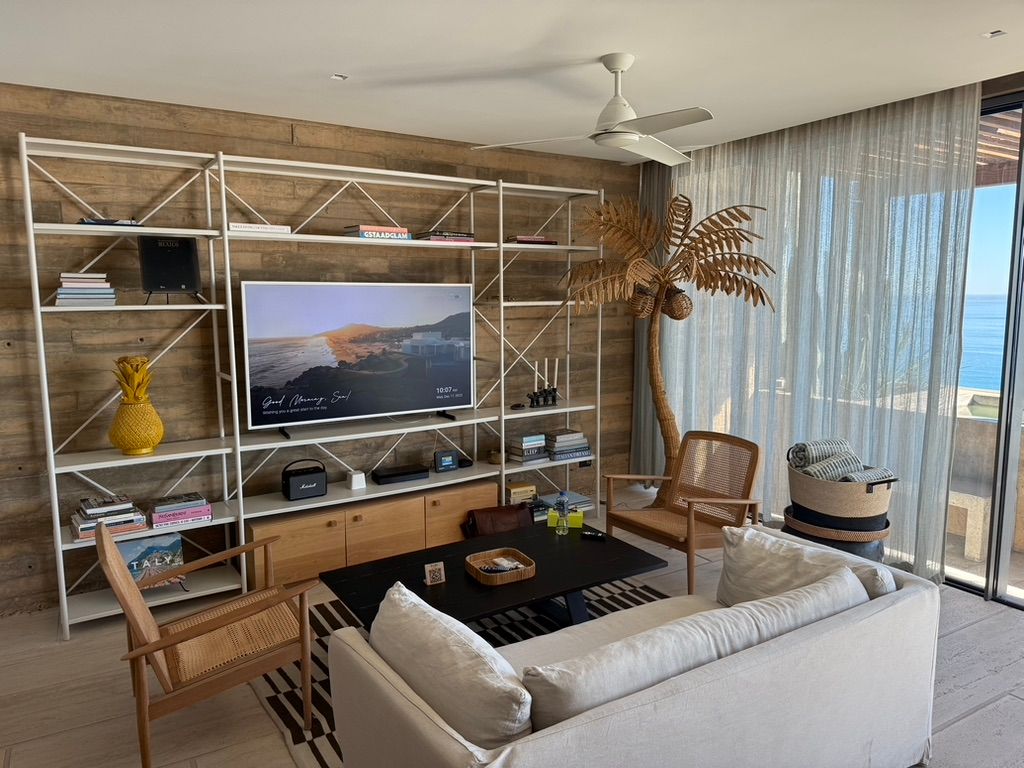
Yes — that's the whole magic. With CEC enabled and the STR TV Streaming Device plugged in, STR TV remotely powers on your TV 90 minutes before check-in (and optionally before checkout). Your guest walks in, the TV is already on, their name is on the screen. Resort experience, delivered.
Why Roku Operators Love This Setup
- Remote power-on via STR TV automation
- Personalized guest greetings on every check-in
- Full streaming access for guests without compromise
- One clean remote that controls everything
- A $75 hardware investment that pays for itself after the first 5-star review
If your properties are running Roku and you're not on STR TV yet — this is your sign. Simple setup. Seamless experience. Guests notice the difference every time.